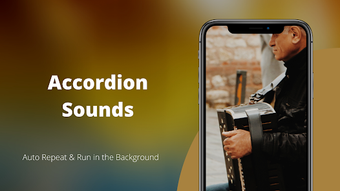

Download Accordion Sounds – accordion sounds, free accordion sounds, accordion music, accordion melodies, portable accordion, one-man band, reed instrument, bellows, metal reeds, high-quality sounds, background music, offline access, ringtone, alarm tone, notification tone
Overview
Accordion Sounds is a desktop application designed for music enthusiasts and casual listeners seeking authentic accordion tones. The software provides a curated collection of high-quality accordion sounds, allowing users to explore the rich, expressive tones of this unique reed instrument. Built around the principles of portability and musical versatility, the app simulates the mechanics of a real accordion—where air movement through bellows causes metal reeds to vibrate and produce sound—delivering an immersive auditory experience.
It is ideal for users interested in traditional folk music, world music, or simply those curious about the distinctive character of the accordion. The app supports both casual listening and practical use cases, such as setting custom ringtones or ambient background music. Its primary purpose is to make the sounds of the accordion accessible and enjoyable without requiring physical instruments or advanced musical training.
The developer, MusicLab, has positioned the app as a free tool, emphasizing accessibility and broad appeal. While the app’s functionality is focused on audio playback, it does not include editing, recording, or composition tools. Real-world usage includes background music during work or relaxation, personalizing device alerts, or simply experiencing the instrument’s expressive range.
Key Features & Capabilities
- High-Quality Sound Library – The app features a collection of professionally recorded accordion sounds, designed to replicate the authentic tonal qualities of real instruments. These recordings are optimized for clarity and depth, ensuring a rich listening experience.
- Background Playback – Users can run the app in the background while using other software, enabling continuous playback without interrupting workflow or other tasks.
- Auto-Play Mode – An automated playback feature cycles through available sounds, offering a seamless and uninterrupted listening experience ideal for ambient or mood-based use.
- Offline Access – Once downloaded, all sounds are available without an internet connection, making the app functional in environments with limited or no connectivity.
- Custom Tone Assignment – Users can assign any sound as a ringtone, alarm tone, or notification tone, allowing personalization of device audio cues with accordion melodies.
- Free to Download – The software is available at no cost, removing financial barriers to access and promoting widespread use among music lovers and hobbyists.
These features cater to both passive listeners and users seeking functional integration with their device’s audio system. For example, a user might play a gentle accordion melody in the background while working, or set a traditional folk tune as their morning alarm. The app’s focus remains on playback and personalization rather than music creation or editing.
User Interface, Workflow & Performance
The user interface of Accordion Sounds is designed for simplicity and ease of access. Navigation is likely streamlined to focus on sound selection and playback controls, with minimal visual clutter. Users can browse through available sounds, initiate playback, and configure settings such as auto-play and tone assignment through intuitive controls.
The workflow is optimized for quick access—users can start listening or assign a sound as a device tone with just a few clicks. The app supports background operation, which implies efficient resource management during extended use. However, exact performance details such as CPU or RAM usage were not specified by the developer.
General software behavior suggests stable operation under typical desktop conditions, though performance may vary depending on system configuration. The app does not appear to include real-time processing or complex audio effects, which reduces the likelihood of high resource demands. Stability during background playback is expected, but specific reports on crashes or freezes are not available.
Overall, the interface and workflow reflect a user-centric design philosophy, prioritizing accessibility and immediate usability over advanced functionality.
Compatibility & System Requirements
Accordion Sounds is compatible with both Windows and Mac operating systems, making it accessible to a broad user base across desktop platforms. The software is available in version 1.0.0, indicating a stable initial release. The installation size is 100 MB, which is moderate for a desktop audio application with a sound library.
The developer did not provide additional system requirements, so details regarding minimum processor speed, RAM, or graphics capabilities are unavailable. Exact hardware compatibility information was not listed. Users should ensure their system meets general desktop software standards for running audio playback applications.
Performance may depend on the device’s audio output quality and available system resources, but no specific thresholds were provided. The app functions offline after installation, which enhances usability in diverse environments.
Pros and Cons
Pros
- Free to download and use, with no hidden costs.
- High-quality, authentic accordion sounds for immersive listening.
- Supports background playback, enabling multitasking.
- Offline functionality allows access without internet.
- Customizable ringtones, alarms, and notifications.
- Simple, intuitive interface suitable for all users.
Cons
- No audio editing or recording features included.
- Missing detailed system requirements or performance metrics.
- Limited to playback and personalization—no composition tools.
- App functionality is narrow in scope, focused solely on sound playback.
- Developer did not provide information on updates or future development plans.
FAQ Section
Is Accordion Sounds available for both Windows and Mac?
Yes, the app is compatible with both Windows and Mac operating systems.
Can I use Accordion Sounds without an internet connection?
Yes, after the initial download, all sounds are available offline, allowing full functionality without an internet connection.
Is the software safe to download and install?
As a free desktop application developed by MusicLab, Accordion Sounds is designed for general use. It does not require administrative privileges beyond standard installation, and no security risks were reported in the provided information.
Does the app support custom sound editing or recording?
No, the app does not include editing or recording features. It is designed exclusively for playback and personalization of pre-recorded sounds.
Can I set any sound as my device’s ringtone or alarm?
Yes, users can assign any sound from the library as a ringtone, alarm tone, or notification tone, enhancing device personalization.
Final Thoughts
Accordion Sounds delivers a focused, accessible experience for anyone interested in the unique sound of the accordion. Its free availability, high-quality audio, and practical features like background playback and offline access make it a compelling choice for music lovers and casual users alike. While it lacks advanced tools for music creation or editing, its core functionality is well-executed and purpose-built.
The app excels in simplicity, personalization, and usability, offering a delightful way to enjoy accordion music anytime, anywhere. For those seeking a portable, one-man band experience through sound alone, this app meets expectations. If you're exploring traditional melodies or simply want to add a distinctive audio flair to your device, Accordion Sounds is a worthwhile download.
Get the latest version today.
Download Accordion Sounds now





.png)

